從 Google Keep 導出筆記,然後導入到 Web OneNote 裏
2021-06-21
數字筆記珍寶
導出 Google Keep 便箋筆記
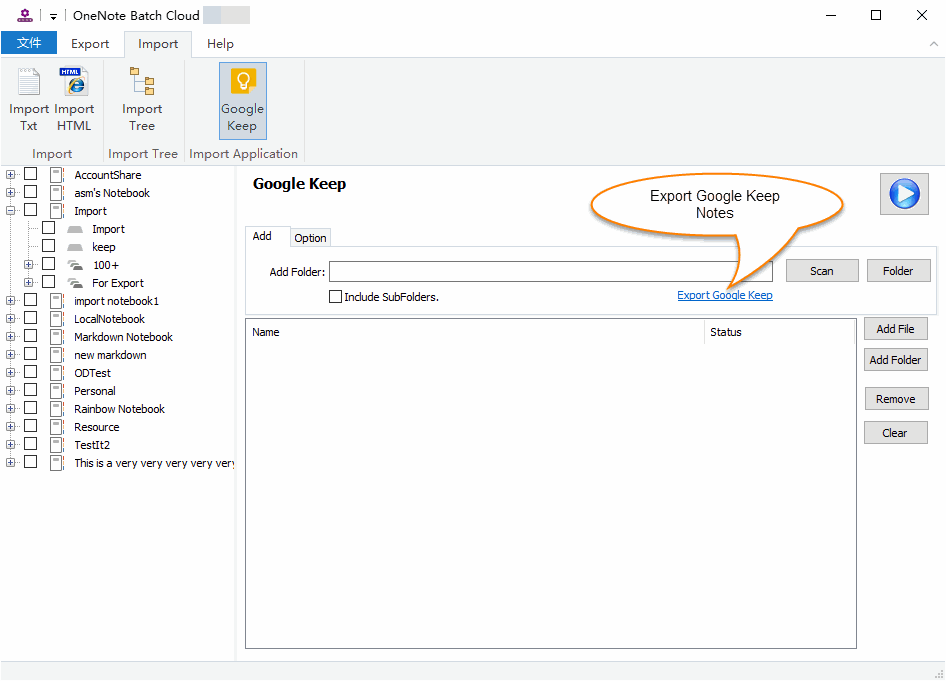
在雲版 “OneNote Batch Cloud” 中 –》導入選項卡 –》Google Keep。
點擊 “Export Google Keep” 鏈接,跳到打包,然後下載妳的 “Google Keep” 筆記。
導入到 OneNote 裏
解壓 Google Keep .zip 文件。
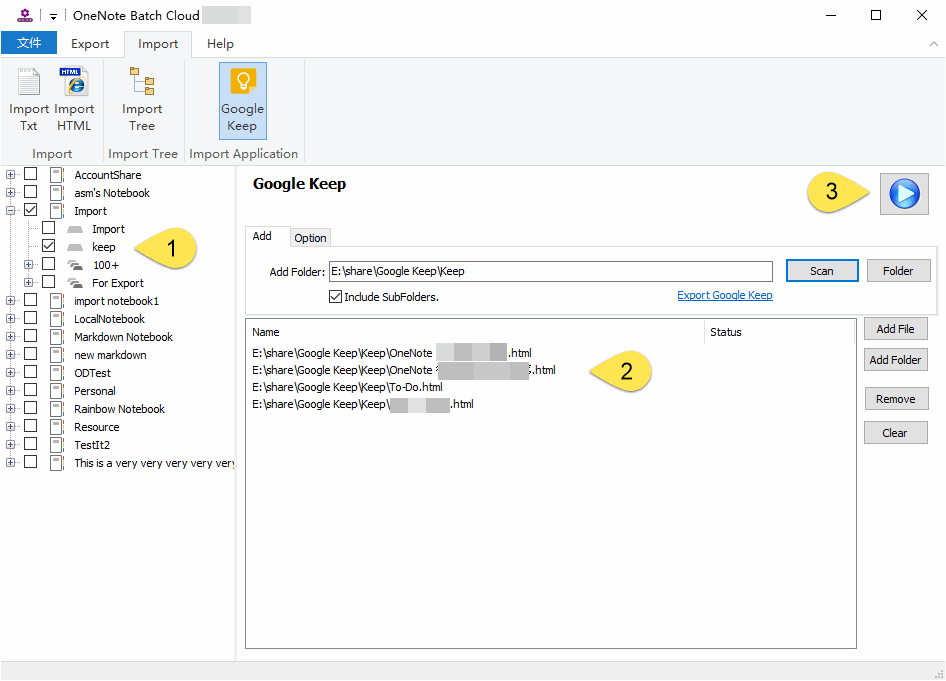
然後再雲版 “OneNote Batch Cloud” 中 –》導入選項卡 –》Google Keep
- 在左側筆記本樹裏,勾選要把筆記導入到的 OneNote 分區。
- 在右側,添加 “Google Keep” 筆記進來到列表裏(主要是:.html 文件)。
- 最後,點擊“開始”按鈕,開始導入這些 .html 文件到 OneNote 裏。
導入後
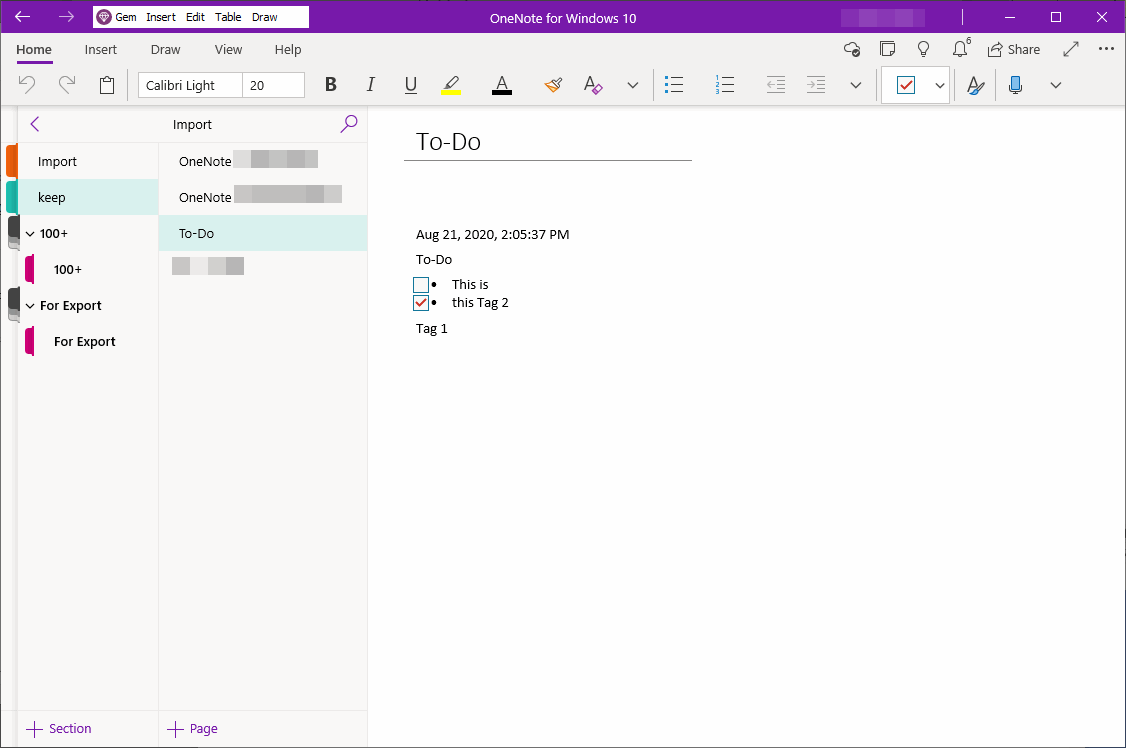
導入 Google Keep 的筆記到 OneNote, 包括:
- Google Keep 筆記的圖片。
- 轉換 Google Keep 的 復選框為 OneNote 的待辦事項。
不支持元素:
- 便箋背景色
- 標簽
OneNoteGem

